Every camera, in sync by its sound.
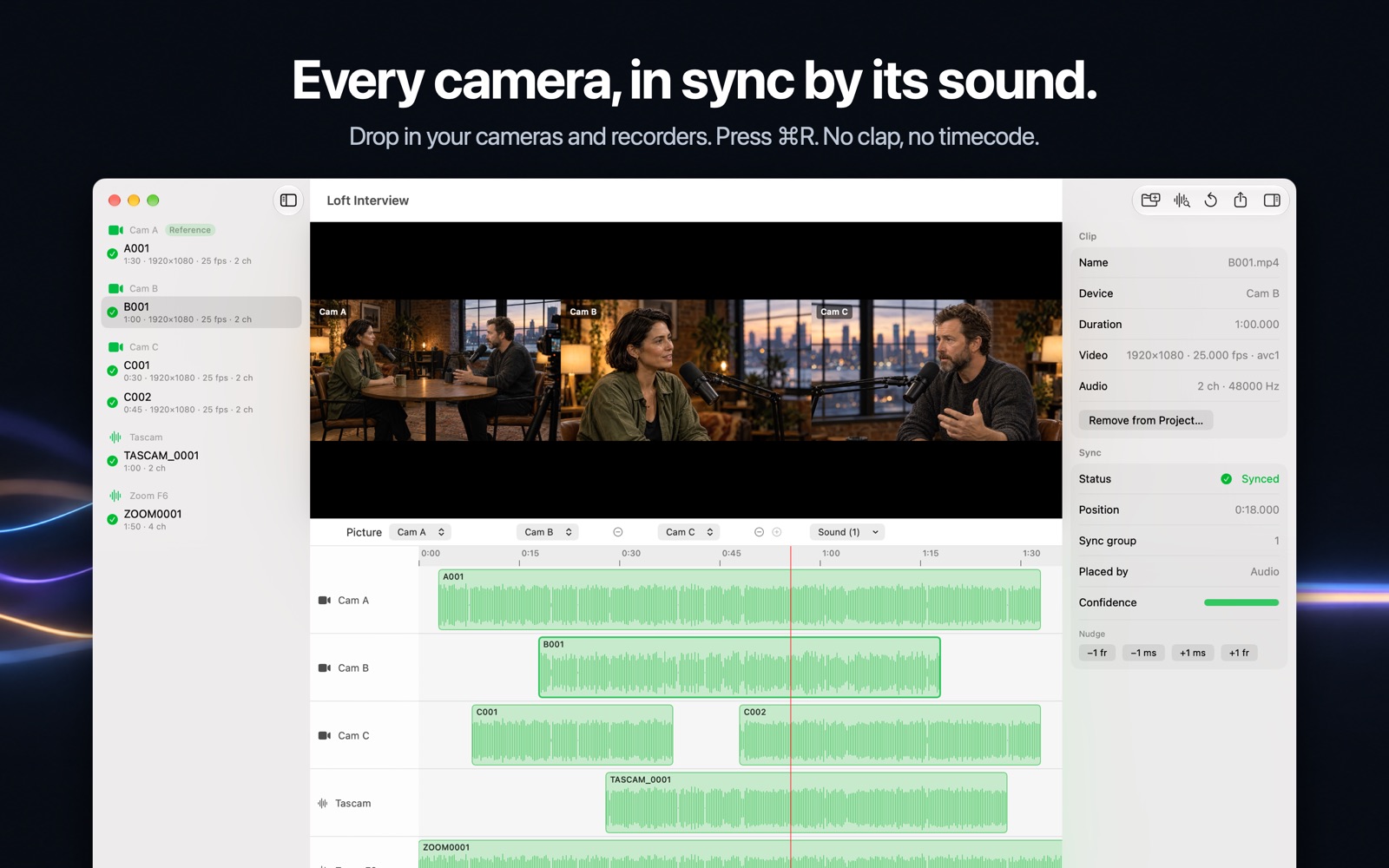
Wavestitch is a multicam audio sync app for Mac. Drop in the cards from your cameras and audio recorders. Press ⌘R. Get a synced timeline for your editor. No clap, no timecode, no uploads.
Your old sync plugin is gone. Your multicam shoots aren’t.
PluralEyes support ended in February 2024. Wavestitch keeps the workflow you know (drop the media in, sync, open the timeline in your editor), then keeps going where built-in sync gives up.
Three steps. The second one is a keystroke.
Drop one folder per device
Cameras, Zoom or Tascam recorders, lav packs. A folder of only audio becomes a recorder. Sub-folders become their own devices.
Press ⌘R
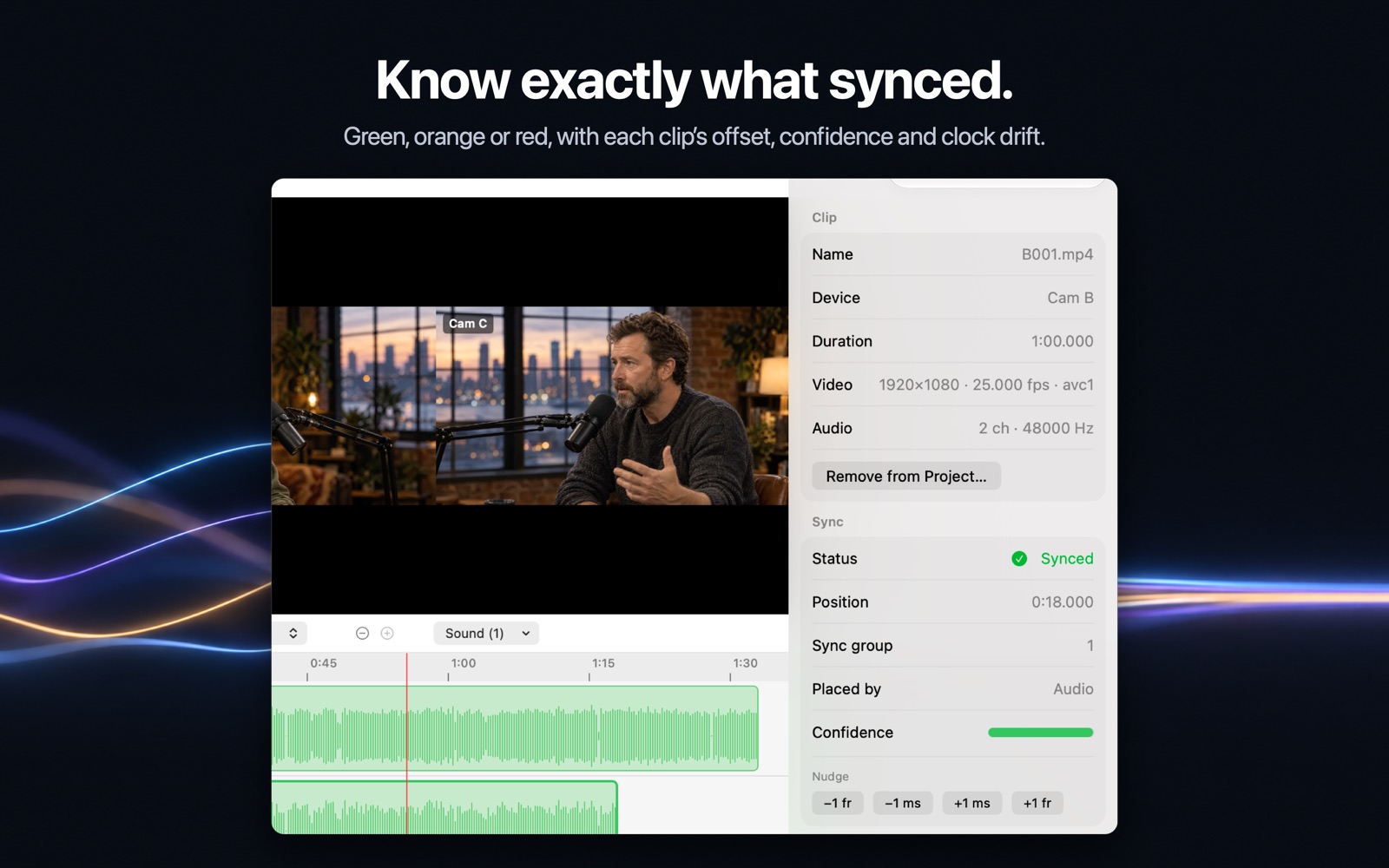
Every clip lines up by its sound. Each one turns green, orange or red, so you know what to check before you start cutting.
Export and edit
Pick the timeline format your editor reads. Import the file and your synced timeline is waiting.
The hard shoots are the point.
Two cameras and a clap are easy. Wavestitch is built for the day that wasn’t, and has been tried on real wedding days with up to 324 clips.
What you see is what you sync.
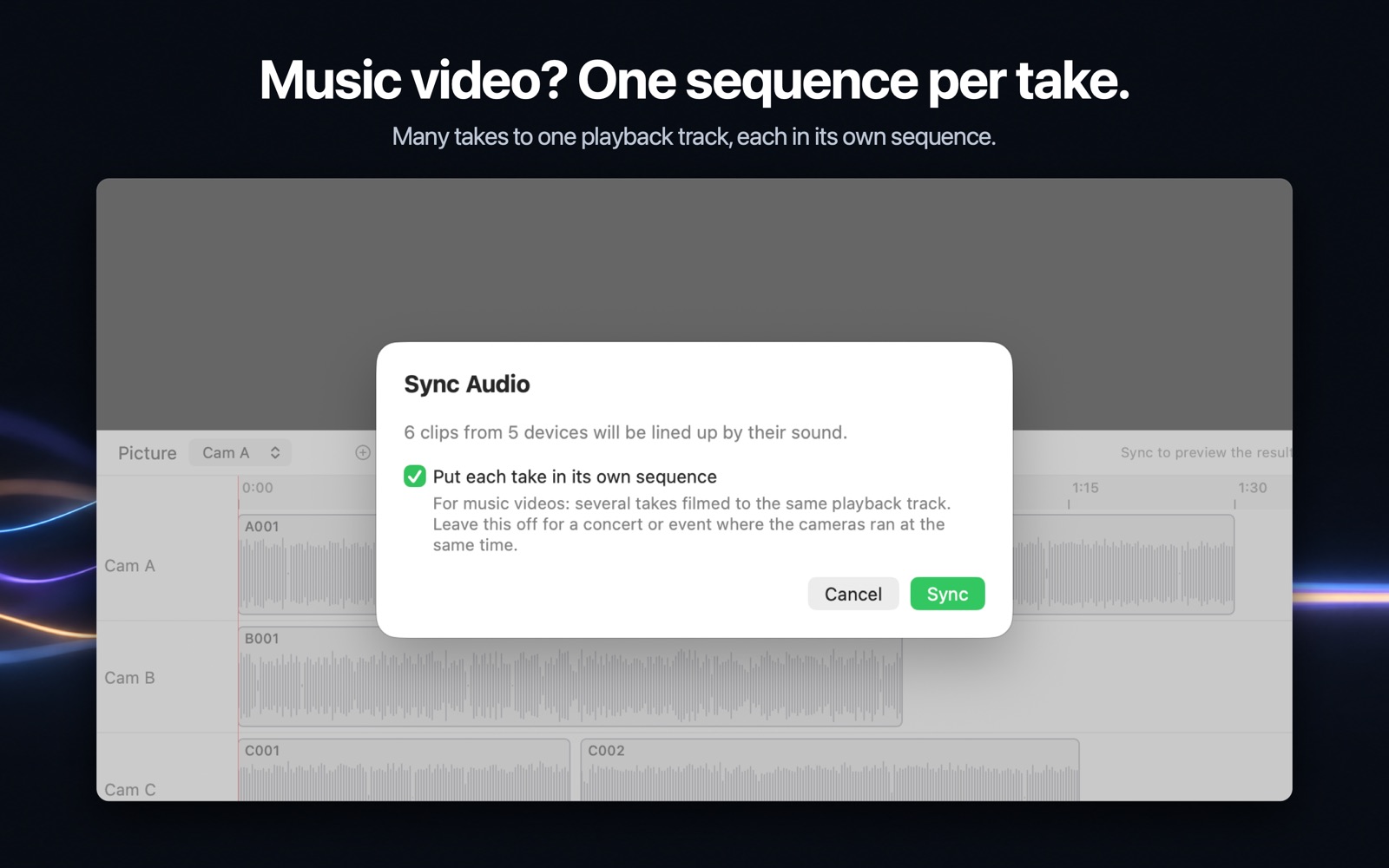
Screenshots from the Mac app, not mock-ups.
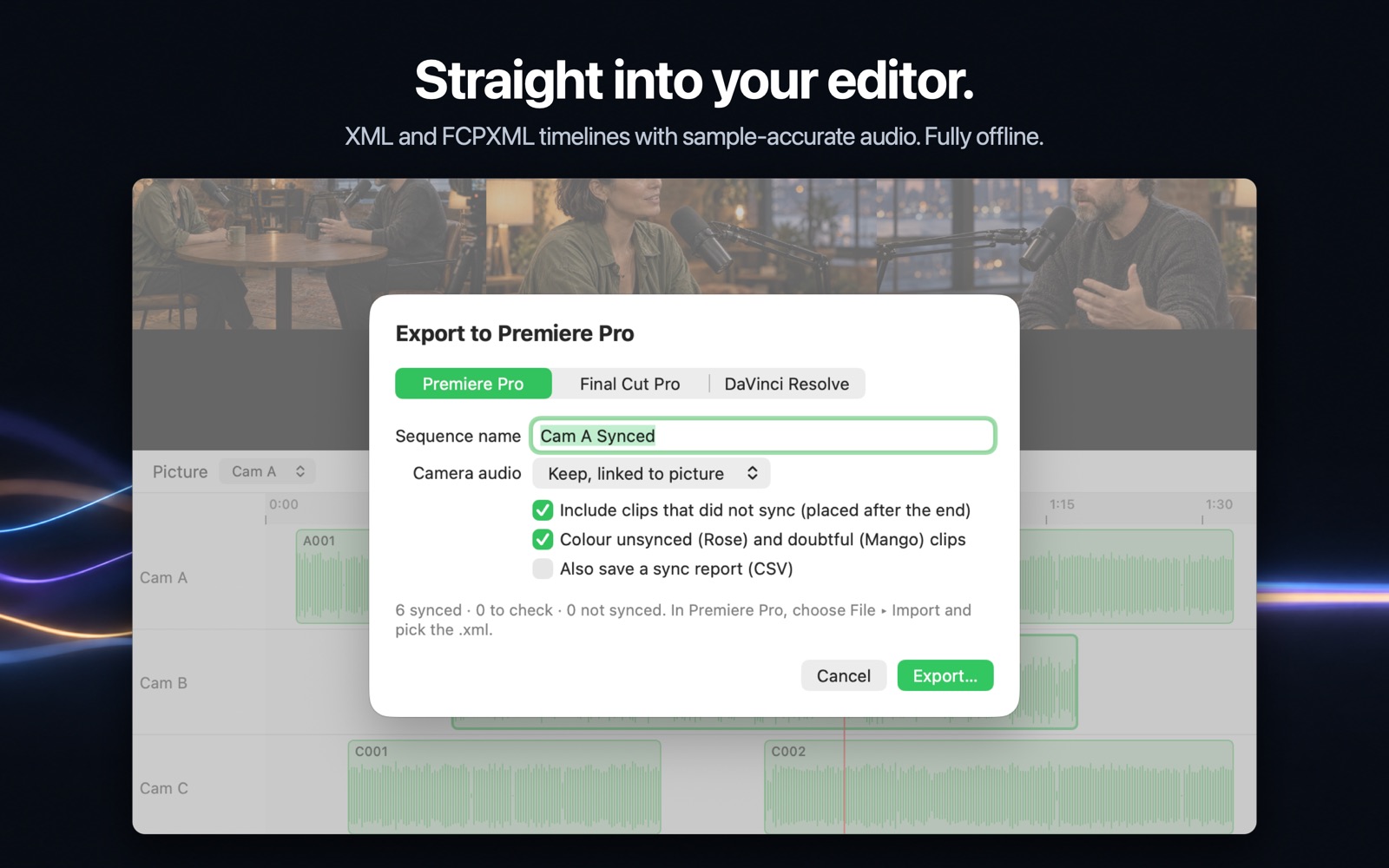
Straight into the editor you already use. No plugin needed.
XML timeline
.xml · XMEML v4For Adobe Premiere Pro. The classic interchange format: cameras on video tracks, recorders on audio tracks.
FCPXML timeline
.fcpxml · version 1.10For Final Cut Pro and DaVinci Resolve. Cameras on lanes above, recorders below. Unsynced clips get a red to-do marker.
Made for shoots with more than one camera.
Music videos & live music
Many takes to one playback track, several cameras per take.
Weddings & events
All-day recorders and cameras that start and stop through the day.
Documentary & interviews
Hour-long takes where every device’s clock drifts.
Podcasts
Two or three cameras plus a Zoom or Tascam, synced in one go.
See it sync your footage first. Pay only to export.
Download Wavestitch free from the Mac App Store. Import, sync, inspect and preview cost nothing, so you watch your own footage line up before you spend a cent. Export is the Pro part, with a 14-day free trial.
Yearly
14 days freeAbout $2.92 a month. Cancel any time in your App Store settings.
- 14-day free trial with export unlocked
- Unlimited projects, cameras and recorders
- XML and FCPXML timeline export
- Every new feature while you subscribe
Lifetime
Offer ends Dec 1Pay once and own it. No renewals.
- Everything in Yearly
- All future updates included
- Works on every Mac signed in to your Apple ID
- Buy it in the app, during or after the trial
Questions
What’s free and what needs Pro?
Everything up to the export is free: import, sync, the inspector and the preview. You see your own footage sync before you pay. Exporting a timeline to your editor needs Wavestitch Pro (Yearly or Lifetime).
What if the audio is bad, or a recorder was set too quiet?
Matching ignores recording level and shrugs off a single loud bump, so quiet recorders and noisy rooms still match far more often. When audio can’t place a clip, the camera’s clock can, and clips placed that way are marked so you know to check them. Anything doubtful is orange or red, never silently wrong.
Do I need timecode or a clap?
No. Wavestitch matches clips by the sound each device recorded. If your files do carry timecode, it is used too, and a recorder’s timecoded files move together as one block.
Which editors does it work with?
Any editor that imports XMEML (XML) or FCPXML 1.10 timelines. Tested with Adobe Premiere Pro, Apple Final Cut Pro and DaVinci Resolve 19. Every sequence goes in one file and each media file is imported once.
Is my footage uploaded anywhere?
Never. Syncing runs entirely on your Mac and the app has no network access.
What Mac do I need?
macOS 14 Sonoma or later.
Do I have to subscribe?
No. Importing, syncing and previewing are free. To export, choose Yearly ($34.99 a year, with a 14-day free trial) or Lifetime ($129.99 once, no renewals; $99.99 until December 1). Both unlock exactly the same app.
How does the free trial work?
Start it in the app when you first export and everything is unlocked for 14 days. If you cancel in your App Store settings before it ends, you pay nothing. Syncing and previewing stay free whether or not you subscribe. You can switch to Lifetime at any point.
What if it doesn’t work on my footage?
Purchases are made through Apple, so refunds are requested from Apple at reportaproblem.apple.com. We’d also love to hear about the shoot that broke it, so we can fix it.
Can I buy it for my whole team?
Each editor unlocks Wavestitch on their own Apple ID, with Yearly or Lifetime. For a bigger team, get in touch through the contact link below.
Is Wavestitch a PluralEyes alternative?
Yes. PluralEyes support ended in February 2024. Wavestitch keeps the same drop, sync, export workflow, plus drift correction, sync groups for several songs or events, and one sequence per music-video take.
Stop syncing by hand.
Drop the folders. Press ⌘R. Open it in your editor.
Download free on the Mac App StoreFree to sync and preview · 14-day free trial for export · macOS 14 Sonoma or later